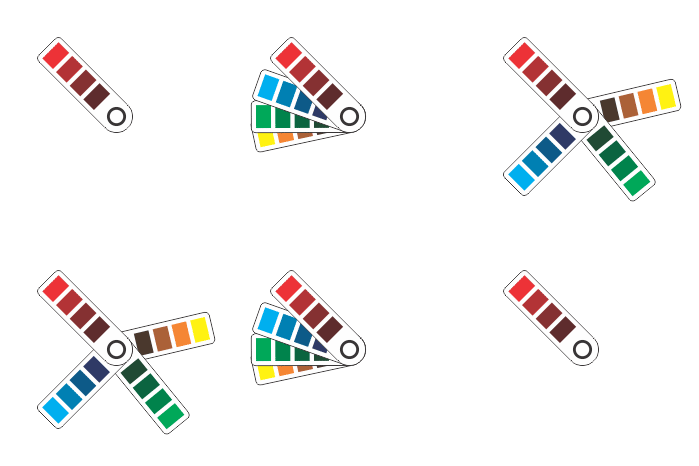

Adobe Creative Suite software enables advanced visual design, but it lacks tools for defining material specifications inside design files. This becomes a problem for print jobs where details like paper type or varnish are essential. Without a built-in method for storing this data in the design file, designers must send extra instructions to print shops separately. This leads to confusion, errors, delays, and wasted materials.
X-MAX Print solves this issue by offering a plug-in that adds material definitions directly to Adobe files. With access to a comprehensive, regularly updated catalogue of non-ink materials, users can select exact properties and embed them into the file before sending it to the print shop. This innovation saves time, improves accuracy, and simplifies communication between designers and printers.
Automating Material Selection and Embedding Data into Adobe Files
X-MAX Print works as a plug-in for all Adobe Creative Suite products. It gives users the ability to browse and select specific paper types and non-ink materials during the design process. These selections are saved inside the file itself, allowing print shops to access all the needed parameters at once, without separate emails or calls.
The plug-in's catalog is built in collaboration with leading manufacturers. Each item is listed with a detailed description, specifications, and a unique identifier. As a result, designers are not guessing about materials—they are choosing from verified industry entries. The catalogue includes coatings, foils, varnishes, special textures, and multiple paper densities.
Once selections are made, the plug-in stores this data inside the design file. This function reduces the chance of misinterpretation, which often happens when specifications are sent in separate documents or as unclear messages. Designers finalize their work, include all printing parameters, and send the file. The printer opens it, views the embedded material specs, and completes the order without extra back-and-forth.
This also reduces rework. If the file contains every requirement, there is less chance of the print job going wrong. Shops do not need verbal confirmation, notes, or assumptions. The file becomes the full source of truth. In a fast-paced printing environment, that saves time and cuts costs.
The plug-in also offers easy browsing and selection. Designers can filter materials by region, type, or property, and the interface fits seamlessly into Adobe’s existing layout. There is no need for additional software or training.
For professionals who handle frequent or complex print jobs, this integration brings needed structure and precision to their daily work. X-MAX Print makes sure the final product matches the design and the intent behind it.
Solving Workflow Issues Between Designers and Print Shops
Traditional communication between graphic designers and print shops involves slow and error-prone manual processes. Designers often describe materials in emails or calls. This system depends on human memory and interpretation, and it often breaks down. A print shop may misunderstand the request, select the wrong material, or print with outdated information.
X-MAX Print changes this model by creating a unified method for passing technical print data. Designers using Adobe Illustrator or Photoshop can now set printing parameters using the plug-in. These selections stay inside the file, visible to the print service provider.
This upgrade makes communication more efficient. There is no need for extra calls or printout samples just to confirm the right coating or density. The print shop receives a file that already includes the chosen material specifications. As a result, the printer knows exactly what paper type, finish, or additional component is expected.
The plug-in helps remove language barriers, especially when working with teams across regions. Because each material is assigned a standard code, printers and designers speak the same technical language. Printing across locations or departments is less confusing and errors-free.
Designers also save time on administrative work. Instead of checking stock lists manually or waiting for supplier confirmation, they can view all available options directly through the plug-in interface. All updates are automatic, so designers always work with the most current materials in the market.
On the print shop side, this streamlines job intake. Operators no longer need to reach out to clients for missing specifications. They open the Adobe file, check the embedded material ID, and begin the production process.
X-MAX Print not only makes communication simpler, it also brings consistency. Print jobs become more predictable. Projects move forward faster. And the final product better matches the design’s original intent. For businesses where time and precision matter, this solution brings measurable results.
A Scalable Framework for Global Print Production
X-MAX Print is more than a plug-in. It is a complete solution for modern print production. At its core, it connects three groups: material manufacturers, graphic designers, and print shop operators. By placing all of them into one automated workflow, the system supports large-scale coordination and reliability.
Manufacturers submit new material listings, which are then classified and added to the catalogue with full specifications. This allows designers to stay current with market trends and use new materials as soon as they are available. Every item is coded and integrated in a standardized format.
Designers access this database from Adobe products. They can select the material properties required for each job and define them clearly using a menu system. No special knowledge is needed. This process makes even complex combinations simple to manage.
When a design file reaches the print shop, the team does not need to interpret or guess at the instructions. The embedded data includes every technical detail. This makes X-MAX Print suitable not only for small-scale jobs but also for industrial and commercial print runs that involve thousands of units.
The system also scales across languages and regions. Standardized identifiers mean that a material selected in one country can be recognized and sourced in another. This is useful for global brands and multinational campaigns.
Furthermore, the plug-in eliminates risk. Manual processes often result in costly reprints due to small errors. With the data stored directly in the file, printers can trust that the order is right the first time. That saves paper, ink, labor, and time.
X-MAX Print also supports compliance and documentation. Because each file contains a full set of production data, it becomes easier to track quality issues or respond to customer inquiries.
For companies seeking to modernize their printing operations, this system offers a scalable, user-friendly upgrade. It turns disconnected steps into one smart workflow and ensures material accuracy at every stage of the printing process.
A Smarter Way to Design and Print with Confidence
X-MAX Print reduces the time, confusion, and effort involved in managing printing material specifications. By letting designers define paper types and non-ink materials within the Adobe file, it creates a clear and consistent link between the designer’s vision and the final printed product.
Instead of emails or phone calls, print shops get everything they need inside a single file. This approach improves accuracy, lowers costs, and eliminates common errors.
With a regularly updated catalogue, standard identifiers, and a simple interface, X-MAX Print offers a modern path to faster, more reliable printing. It helps creative teams, printers, and manufacturers work together better.
This is a forward-looking solution for a detail-driven industry—built for precision, designed for ease.